
A Digital Declutter Checklist for the New Year
We spend hours decluttering our closets and countertops, but the messiest, most draining clutter of all is invisible — it lives on our phones, in our inboxes, and across a hundred apps we barely use. A digital declutter is one of the most underrated resets there is, and this digital declutter checklist walks you through clearing all of it, so you start the year with a lighter phone and a clearer mind.
Digital clutter quietly costs you focus, energy, and peace. Clearing it out feels genuinely amazing — like opening a window in a stuffy room. So pour something warm, let the cat curl up, and let’s clean up your digital life together.
Why Declutter your Digital Life?

Because your devices are quietly taxing your brain more than you realize. A landmark study from UT Austin found that the mere presence of your smartphone reduces your available cognitive capacity — even when you’re not using it, even when it’s face down or turned off. Just having it nearby uses up mental energy your brain could spend elsewhere. (Their fix? Putting the phone in another room genuinely improved focus.)
Add the endless notifications, cluttered inbox, and draining feeds on top of that, and it’s no wonder we feel scattered. A digital declutter clears the noise so you can think, focus, and breathe — and a new year gives you a real fresh-start boost to actually do it.
Signs it’s Time for a Digital Declutter
Not sure you need this? A few tell-tale signs:
- Your storage is always full, and “99+” unread emails feel normal.
- You reach for your phone the second you wake up — and lose an hour before you mean to.
- Your notifications never stop, and each one pulls your focus.
- Scrolling leaves you more drained, anxious, or “behind” than when you started.
- You can’t find the photo, file, or email you need when you need it.
- You’re paying for subscriptions you forgot you had.
If any of those made you wince, you’re in exactly the right place.
How to use this Checklist
- Go one section at a time. You don’t need to do it all today — chip away at it.
- Tick as you go. The satisfaction is real, and it builds momentum.
- Skip what doesn’t apply. Take what serves you and leave the rest.
Reset your Phone
- Restart your phone and install any updates.
- Delete apps you haven’t opened in three months.
- Clear your home screen down to the essentials.
- Organize the apps you keep into tidy folders.
- Move distracting apps off your home screen (or into a back folder).
- Turn off every non-essential notification.
- Delete old texts, voicemails, and downloads.
- Close your browser tabs and clear your history.
Declutter your Photos and Files
- Delete blurry, duplicate, and old screenshot photos.
- Back up your photos to the cloud.
- Organize keepers into albums.
- Empty your “recently deleted” folder.
- Clear your downloads folder.
- Organize your desktop and documents into folders.
- Delete old files you no longer need.
Clean up your Inbox
- Unsubscribe from every newsletter you never open.
- Delete or archive old, irrelevant emails.
- Create folders or labels to organize what’s left.
- Set up filters so future emails sort themselves.
- Clear out promotional and spam clutter.
- Aim for a calmer inbox (inbox zero if that’s your thing).
Detox your Social Media
- Unfollow accounts that drain, trigger, or bore you.
- Follow accounts that inspire the woman you’re becoming.
- Mute or leave group chats that stress you out.
- Turn off social media notifications.
- Set daily time limits on your most scrolled apps.
- Curate your saved and pinned content for the year ahead.
- Consider deleting one app you want a real break from.
Review Subscriptions and Accounts
- List every subscription you’re paying for.
- Cancel the ones you don’t actually use.
- Note renewal dates so nothing charges you by surprise.
- Check free trials before they convert to paid.
- Delete old online accounts you no longer need.
Tidy your Passwords and Security
- Update weak or reused passwords.
- Set up a password manager to hold them.
- Turn on two-factor authentication where you can.
- Back up your phone and important files.
- Review which apps have access to your data.
Reset your Digital Habits
This is the most important section — because a decluttered phone quietly re-clutters if your habits don’t change. Remember the research: the phone’s mere presence drains you, so create real distance.
- Keep your phone out of reach for the first hour of your day (a phone-free morning changes everything).
- Charge your phone outside the bedroom, or across the room.
- Put your phone in another room when you need to focus.
- Set phone-free times — meals, the first hour, the hour before bed.
- Designate one screen-free evening a week.
- Replace mindless scrolling with something that fills you up.
Build better Digital Habits going Forward
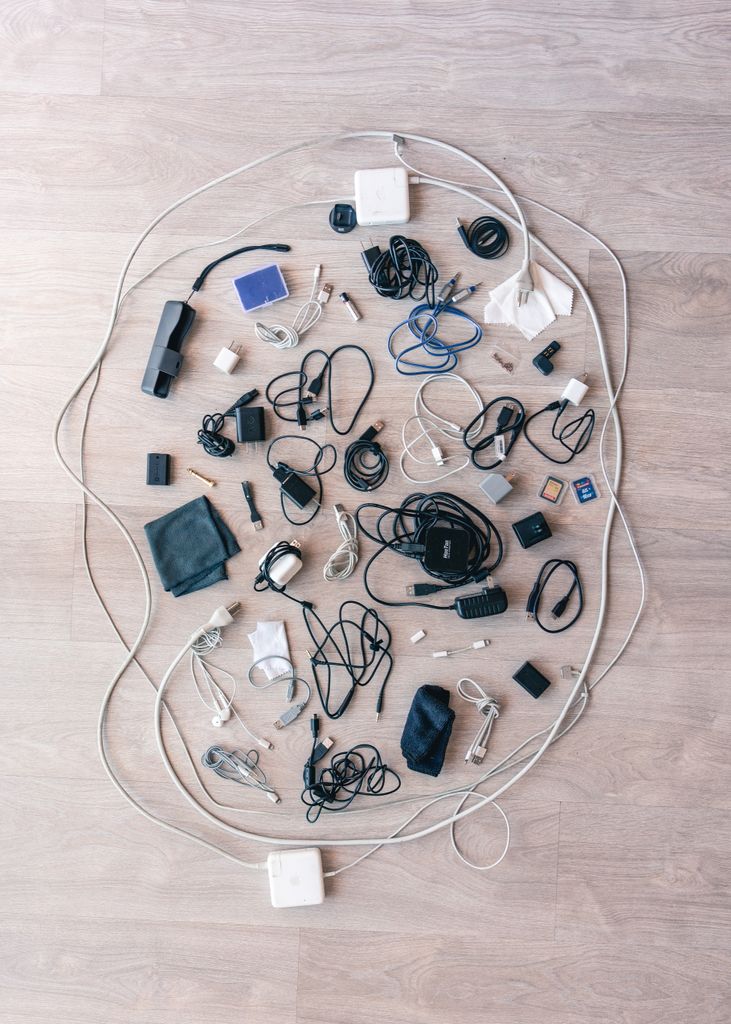
A declutter is a reset, but the goal is a gentler ongoing relationship with your devices:
- Do a mini digital tidy each week (photos, inbox, tabs).
- Unfollow and unsubscribe in real time, the moment something drains you.
- Notice when you reach for your phone out of boredom or anxiety — this guide on how to stop worrying and start living calm helps.
- Protect your attention like the precious resource it is.
Reducing screen noise is a real act of winter self-care, and a perfect piece of your wider new year reset.
A note on Pacing
Please don’t feel you have to conquer your entire digital life in one sitting — that’s just swapping one kind of overwhelm for another. Tackle one section a day, or one a week. Even deleting a handful of draining apps today counts. Slow, steady, and kind is the way, especially in the gentle energy of the Year of the Goat.
Clear your Screen, Clear your Mind
A digital declutter checklist isn’t about achieving a perfectly minimalist phone — it’s about clearing the invisible clutter that’s quietly draining your focus and peace, so you can start the year lighter and more present. Work through it at your pace, protect your attention going forward, and enjoy the surprising calm of an uncluttered digital life.
That clear, focused, intentional space is exactly what a Winter Arc thrives on — using the quiet season to reset and become who you want to be next. So pour something warm, let the cat win the lap, and start with one small tidy. Your mind will thank you.
Which part of your digital life feels the most cluttered right now? Tell me where you’re starting.